1. A program that says more
From now on, every example sits inside the frame from Session 1. Here's a program with several output lines:
public class Intro { public static void main(String[] args) { System.out.println("My name is Aarav."); System.out.println("I am learning Java."); System.out.println("Today is day 2."); }}Output
My name is Aarav.I am learning Java.Today is day 2.Remember that the file must be called Intro.java because the class is Intro. In IntelliJ, the simplest habit is one class per exercise: right-click src → New → Java Class.
2. print vs println
-
printlnprints, then moves the cursor to a new line (ln= line). -
printprints and stays on the same line.
public class Main { public static void main(String[] args) { System.out.print("Good "); System.out.print("morning"); System.out.println("!"); System.out.println("Next line"); }}Output
Good morning!Next line3. Escape sequences
How do you print a double quote, when the double quote itself marks the start and end of text? You escape it with a backslash \.
|
Escape |
Meaning |
Example |
Prints |
|---|---|---|---|
|
|
New line |
|
A, then B on the next line |
|
|
Tab (a wide gap) |
|
Name Age |
|
|
Double quote |
|
He said "Hi" |
|
|
A backslash |
|
C:\Users |
public class Main { public static void main(String[] args) { System.out.println("Name\tMarks"); System.out.println("Riya\t92"); System.out.println("She said \"Java is fun\""); System.out.println("Line one\nLine two"); }}Output
Name MarksRiya 92She said "Java is fun"Line oneLine two4. Joining text with +
The + sign can join (concatenate) text with other values:
public class Main { public static void main(String[] args) { System.out.println("Age: " + 21); System.out.println("Java " + 21 + " is LTS"); }}Output
Age: 21Java 21 is LTSWe'll see some surprising behaviour of + with numbers in Session 4.
5. Comments
Comments are notes for humans; the compiler ignores them completely.
public class Main { public static void main(String[] args) { // Single-line comment: everything after // is ignored /* Multi-line comment: useful for longer explanations */ System.out.println("Comments don't print"); // can also sit at the end of a line }}There is a third kind, /** ... */, called a Javadoc comment. It is used to document code for other developers, and tools turn it into web pages. We'll use it once we write our own methods and classes.
Good comments explain why, not what. // add 1 to count above count = count + 1; is useless. // skip the header row is useful.
6. How code executes: top to bottom
Every instruction ending in ; is a statement. Inside main, Java runs statements one after another, from top to bottom, exactly once each (until we learn decisions and loops).
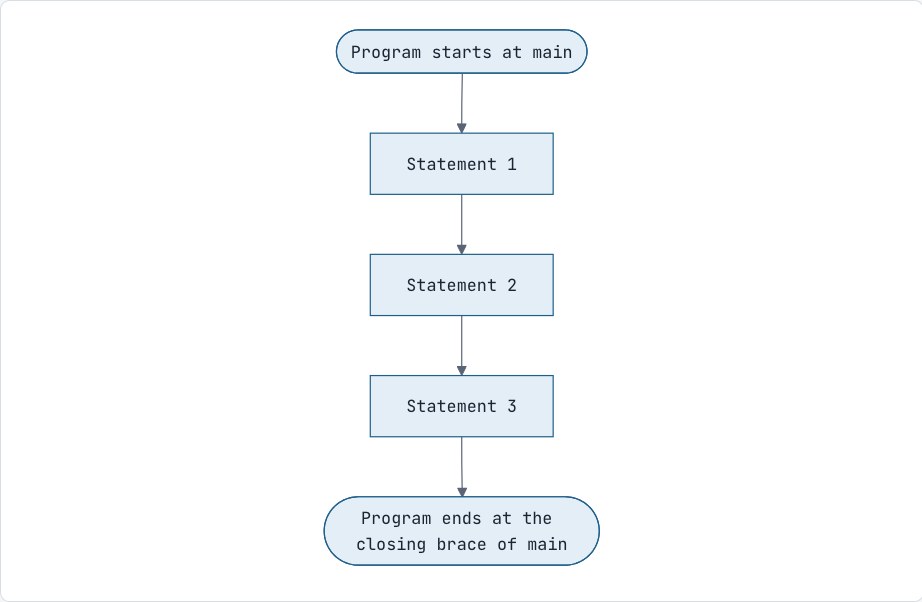
A few formatting rules:
-
Whitespace and blank lines don't matter to Java, but they matter a lot to humans. Indent the code inside braces by 4 spaces.
-
You can put two statements on one line, but don't.
-
Press
Ctrl + Alt + L(Cmd + Option + Lon Mac) in IntelliJ to auto-format.
Common mistakes
-
Writing
System.out.printInwith a capital "I" instead of a lowercase "l". It's L for line. -
Writing
system.out.println:Systemneeds a capital S. -
Using
/instead of\for escapes:"/n"prints the characters /n. -
Forgetting that
printdoesn't add a new line, so the next output sticks to it.
Interview questions
What is the difference between print and println?
println prints its argument and then moves to a new line; print prints without moving to a new line.
What are the three types of comments in Java?
Single-line (//), multi-line (/* */) and documentation or Javadoc comments (/** */), which tools use to generate API documentation.
Practice
-
easy Print a restaurant bill with a tab between item and price for 3 items, with a line of dashes above and below.
-
easy Print:
The file is at C:\java\notes.txtexactly. -
easy Using only
print(notprintln) and\n, print your name and city on two lines. -
medium Print this pattern using one single
printlnstatement:
******-
medium Predict the output, then run it:
System.out.print("A");System.out.println("B");System.out.print("C\n");System.out.print("D\tE");
Discussion